# SQL Studio
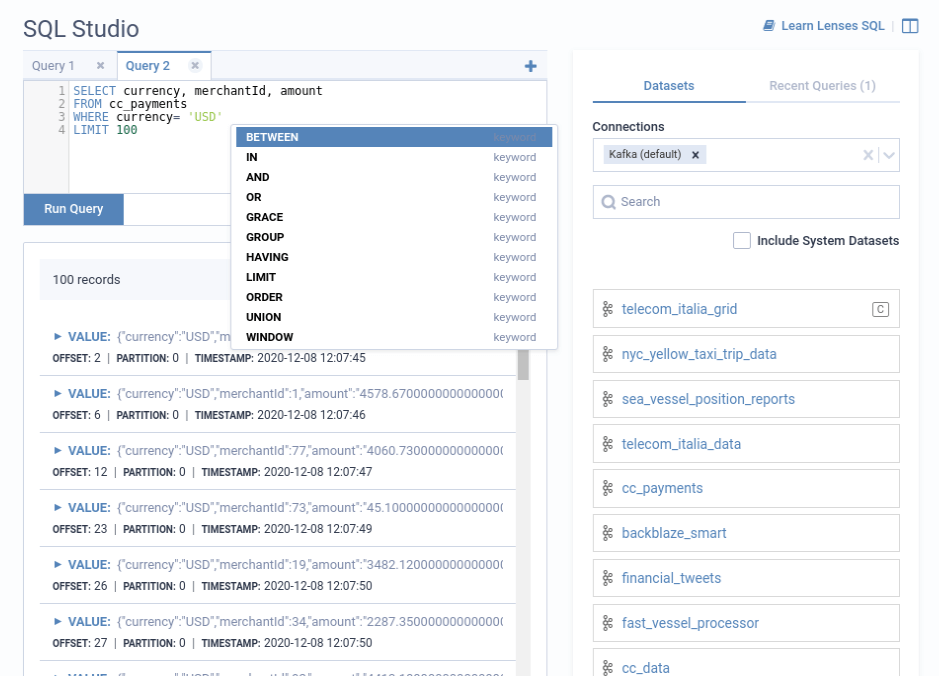
The Lenses SQL Studio provides a familiar query editor that allows:
1. Writing Lenses SQL queries to retrieve results.
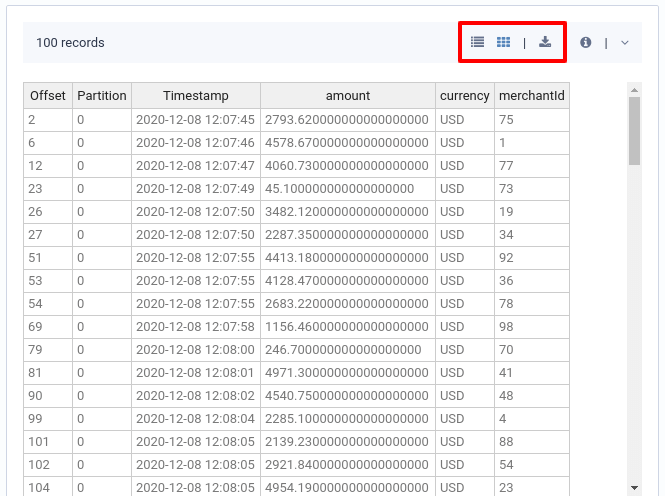
2. Data visualization in two formats, tree and grid.
3. Downloading of results.
4. Managing multiple queries at once by providing a tabbed interface.
{% hint style="info" %}
**Note**\
Queries are executed using the Lenses SQL Snapshot engine.
{% endhint %}
### Navigate to SQL Studio
1. From the Header Bar Menu, go to the **Dashboard** panel.
2. On the side navigation, select **SQL Studio** under the Data section.
SQL access is unified over any data format for Apache Kafka and Elasticsearch. Learn more about [Lenses SQL](https://docs.lenses.io/5.2/lenses-sql/) for Kafka.
### Results
Data returned from the queries can be visualized in **Tree** and **Grid** format. The format can be toggled from the top of the result set. The data set can also be **Downloaded** in a JSON format.
### Capabilities
#### Autocompletion
The SQL editor gives a context-aware autocomplete to use specific fields from the topic payload. It supports nested fields and typical SQL projections.
#### Data discovery
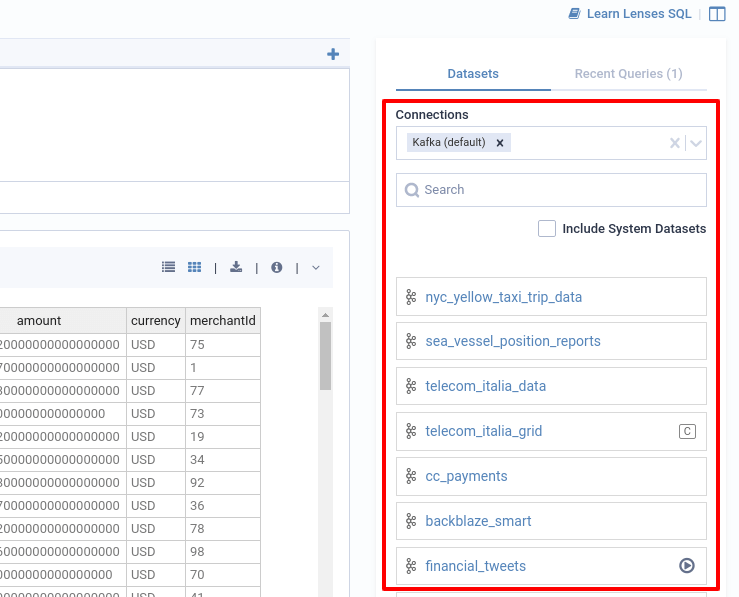
You can see the Datasets list and your Recent queries on the right panel. To explore the fields in datasets:
1. On the right panel, select the connection(s) to explore.
2. Search and click on a dataset.
3. A flat view of the fields appears.
*More information on* [*how to manage connections*](https://docs.lenses.io/using-lenses/connection-management)*.*
You can click on the play button to view data from the topic.
#### Explore schema with SQL
Use `DESCRIBE TABLE` to explore fields, data formats, and configurations via SQL.
#### Manage Queries
**Recent Queries**
Recent queries are displayed, but only for the current session. They are not currently retained.
Click on the play button to run a previous query. If a query is already running, you will be asked if you want to stop it first.
**All Running queries**
You can see all running queries by Lenses users using SQL:
`SHOW QUERIES`
You can force stop a query by another user using SQL:
`KILL QUERY `
Recent queries are displayed, but only for the current session. They are not currently retained. Click on the play button to run a previous query. If a query is already running, you will be asked if you want to stop it first.
### SQL reference guide
[Lenses SQL documentation](https://docs.lenses.io/5.2/lenses-sql/)