# Slack

Set up a **Slack** connection for Streaming Data Platform alerts and notifications.

### Set up  <a href="#set-up" id="set-up"></a>

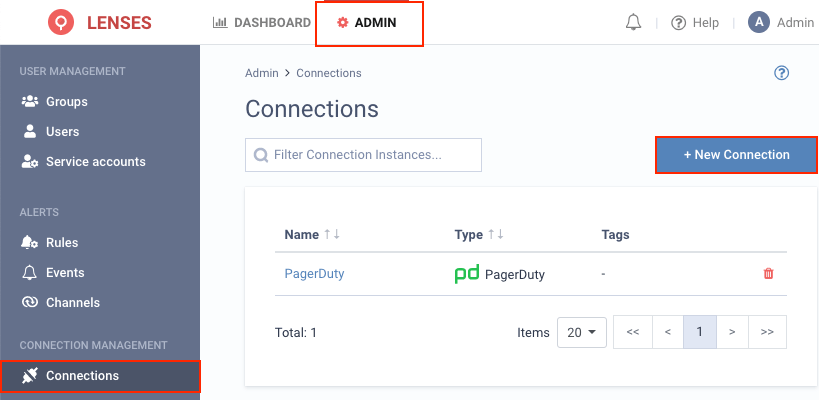
**1.** Visit **Admin → Connections** and click **New connection**

<figure><img src="https://docs.lenses.io/5.2/guides/self-service/alerts/alert-channels/images/new_connection.png" alt="Lenses.io Connection" width="563"><figcaption></figcaption></figure>

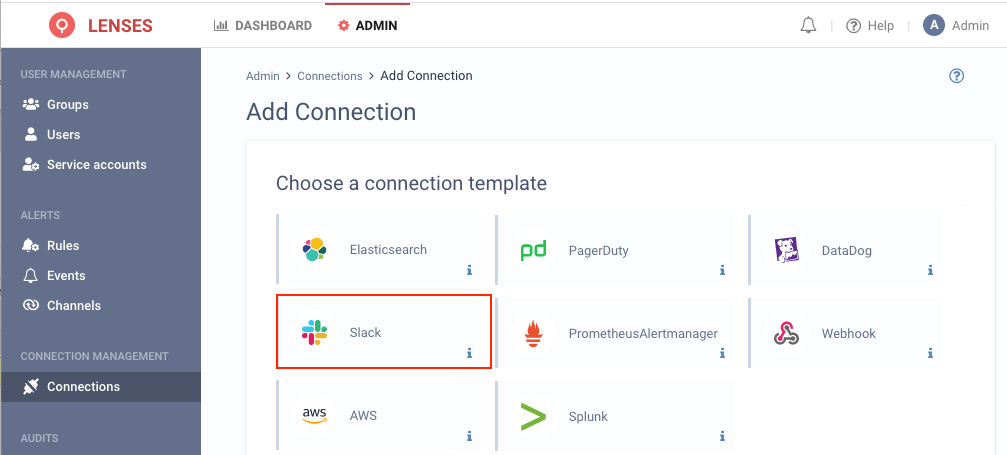
**2.** Select **Slack**

<figure><img src="https://docs.lenses.io/5.2/guides/self-service/alerts/alert-channels/images/select_connection_slack.png" alt="Slack Connection" width="563"><figcaption></figcaption></figure>

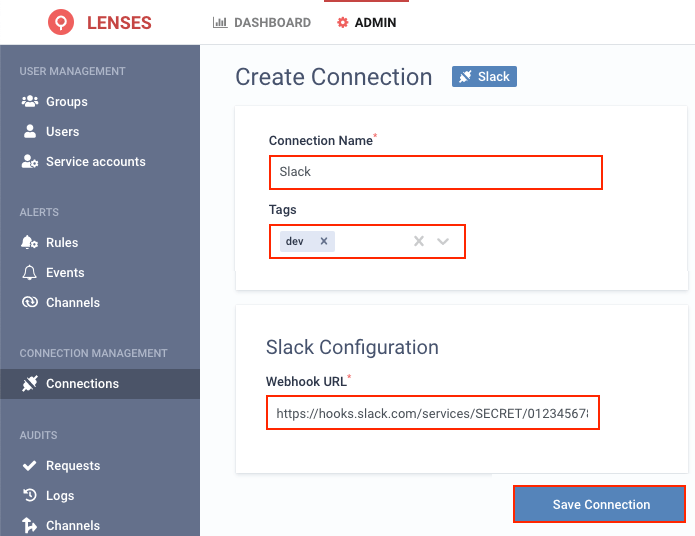
**3.** Provide a name and configuration

You can also optionally add tags (i.e. dev), and for the URL endpoint, check Slack API Help.

<figure><img src="https://docs.lenses.io/5.2/guides/self-service/alerts/alert-channels/images/create_connection_slack.png" alt="Slack Connection" width="563"><figcaption></figcaption></figure>

### Add channel  <a href="#add-channel" id="add-channel"></a>

Next, add one or multiple target Slack channels.

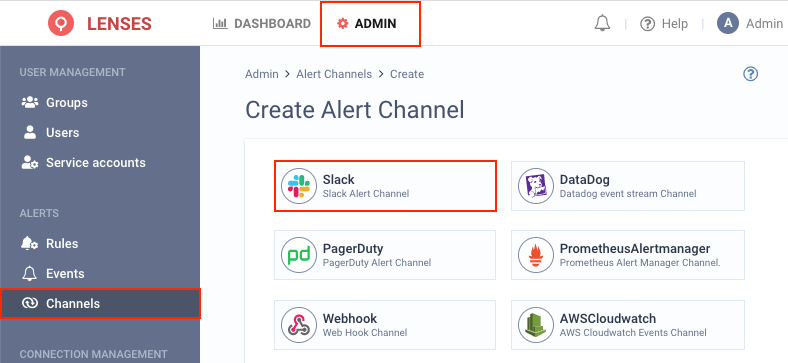
**1.** Visit **Admin → Channels** and click **Slack**

<figure><img src="https://docs.lenses.io/5.2/guides/self-service/alerts/alert-channels/images/select_channel_slack.png" alt="Slack channel" width="563"><figcaption></figcaption></figure>

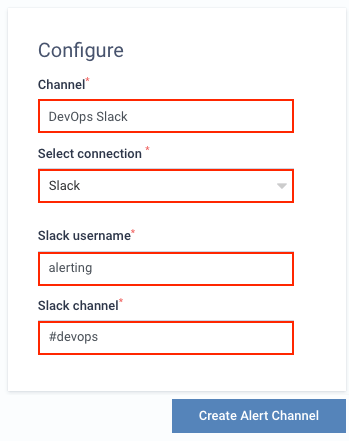
**2.** Setup the configuration options

<figure><img src="https://docs.lenses.io/5.2/guides/self-service/alerts/alert-channels/images/slack_details.png" alt="Slack details" width="375"><figcaption></figcaption></figure>

For example, the above will create the `DevOps Slack`, that is, using the **Slack** connection to post to the `#devops` channel using the `alerting` username.

Do not forget to prepend the Slack channel name with a `#`.

### An example  <a href="#an-example" id="an-example"></a>

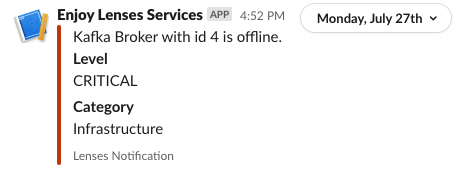
If, for example you create a rule to send infrastructure notifications to Slack, then the moment a Broker becomes offline, you will be notified:
<figure><img src="https://docs.lenses.io/5.2/guides/self-service/alerts/alert-channels/images/slack_example.png" alt="Slack details"><figcaption></figcaption></figure>

<br>